Mobile Game Guide /
UFL 2026 control guide shows where the skill gap starts
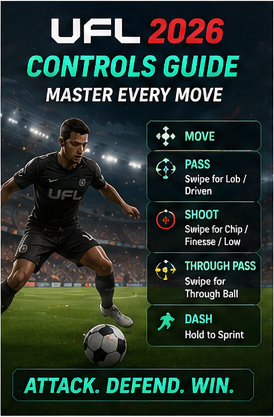
UFL Football Game 2026’s latest controls guide explains attacking and defending inputs, including swipe-based shot, pass and dash variations for smoother mobile football play.
By Gameforce Mobile News Desk · Source: https://gamingonphone.com/guides/ufl-football-game-2026-the-complete-guide-to-controls/
Key facts
- Topic:
- Mobile Game Guide
- Published:
- May 26, 2026
- Source:
- https://gamingonphone.com/guides/ufl-football-game-2026-the-complete-guide-to-controls/
- Reported by:
- Gameforce Mobile News Desk
UFL Football Game 2026 is now global enough that players are asking the most important question in any mobile football game: how do I stop pressing the wrong button and embarrassing myself? The new controls guide breaks down UFL’s default setup, with movement on the left and action buttons on the right. The interesting part is swipe behavior. Shoot, Pass and Through Pass are not just one-button commands; swipes can trigger chip shots, low shots, finesse shots, lob passes, driven passes and pass-and-go actions.
Defending is more straightforward, focused around switching, pressing, standing tackles and sliding tackles. That gives UFL a familiar mobile football base with enough directional nuance for players who want to improve. The downside is that the layout currently cannot be fully customized, which will annoy players who like fine-tuning every thumb position. Still, for a new football game trying to challenge bigger names, clear controls are not optional. They are survival.